
Issue
The FileCenter Product Key is showing that the maintenance has expired after paying for the maintenance.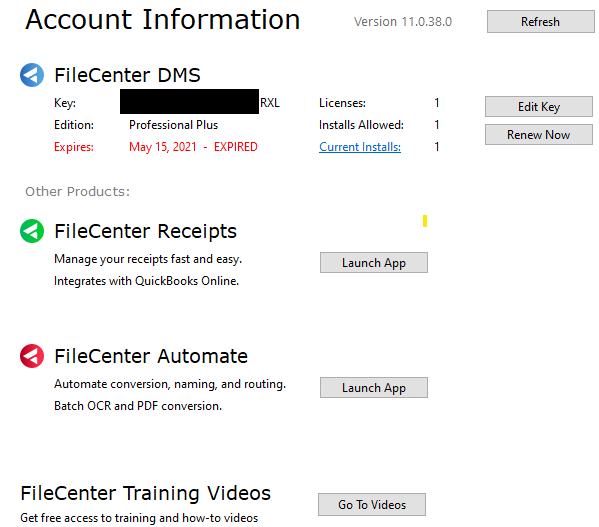
Reason
Sometimes this issue is caused by an interruption during the renewal process. Entering the product key again sometimes will work, but in the case that it doesn't work, follow the steps below to resolve the issue.
How to Resolve the Issue
1. Close all FileCenter applications. Click on the black arrow under the Help Icon. Click on Support Options. Select the menu item "Close All Apps"
2. Go to C:\ProgramData\FileCenter\Auth\
3. Delete the Folder inside called "11"
4. Open FileCenter
5. When prompted, re-enter your Product Key
6. If you use any other FileCenter Product, you will need to re-enter the Product Key for each product
This should fix the issue and your Renewal Date will update and reflect the correct date.
Comments
0 comments
Article is closed for comments.